Ready today, ready for what comes next
A strong expansion plan starts with a clear view of today's architecture, dependencies, and opportunities.
Single business unit
The org works because usage patterns are narrow and tribal knowledge fills the gaps.
Expansion pressure
New lines of business introduce new data, users, access models, and releases.
Enterprise platform
Strong governance creates a clear foundation for growth, releases, and accountability.
The assessment gives your team clear answers before the next expansion: What can be reused? What should be refined? What is ready to scale? What governance will support the next stage?
Two weeks. One actionable picture.
We do the heavy lifting — you get findings you can present to leadership and a plan you can act on immediately.
We connect securely
Read-only access established — nothing installed in production, nothing changed. Built for Salesforce Security Review expectations.
We run the assessment
Security, governance, performance, data quality, and more — analyzed comprehensively and automatically in week one.
Every finding is risk-scored
Results are translated into plain-language business impact — clear enough for a board, detailed enough for a team to act on.
You get a plan
A prioritized roadmap your leadership can approve and your team can begin executing immediately — not a list, a sequence.
The questions every Salesforce leader should be able to answer
Org Insights gives your team a clear answer across 24+ risk areas, with findings organized for action.
Who has access to what they shouldn't?
Access patterns, sensitive-data exposure, guest access, and permission structure — mapped and prioritized by business impact.
Is your permission model ready for more users?
Permission structure, profile design, and access patterns — mapped so your org is ready for new users and teams.
What will break when you try to scale?
Automation design, code health, platform configuration, and dependencies — mapped so your team can plan the next release with confidence.
Are you approaching your platform limits?
Storage, API, and performance thresholds — surfaced early so your team can plan capacity and releases with confidence.
What are you paying for that nobody uses?
License utilization, configuration, user experience, and data quality — mapped into clear opportunities for improvement.
Is your org getting healthier over time?
Run the assessment again after remediation. See the improvement in your score and show leadership measurable progress.
Five deliverables. One actionable plan.
Everything your leadership team needs to make decisions — and everything your engineers need to act on them.
Executive Readout
A board-ready health score, your key risks ranked by business impact, and the decisions leadership needs to make.
Findings Workbook
Every issue found, with severity, business impact, the team who owns it, and how much effort remediation will take.
Governance Recommendations
How to structure access, manage data, run releases, and scale with the governance your organization needs.
Progress Baseline
Run the assessment again after remediation and show your leadership team a measurable score improvement.
Structured Findings Export
All findings in a structured format, ready to feed your planning tools, backlog, or AI-native roadmapping process.
See the full picture, then move forward with a clear plan.
Org Insights combines automated discovery with expert interpretation, turning 24+ risk areas into a prioritized plan your team can use — not a PDF of generic advice.
| Free tools & basic scans | Org Insights |
|---|---|
| Point-in-time PDF or snapshot — run once, then start over | Stored runs with trend history you can track over time |
| Generic checklist advice, not tied to specific records | Record-level evidence for every finding your team can act on |
| Broad health themes without depth across the org | 24+ risk areas analyzed across 6 dimensions |
| No login forensics or privilege deep-dive | Access, privilege, and login patterns mapped by business impact |
| No Security Review story for production access | Read-only access designed for Salesforce Security Review expectations |
| Useful as a one-off scan — hard to show progress later | Leadership-ready readout plus a baseline you can re-run after remediation |
Purpose-built analyzers, run against your live org
Each analyzer surfaces specific findings with risk scores, record-level evidence, and a clear recommended action — across every area of your Salesforce org.
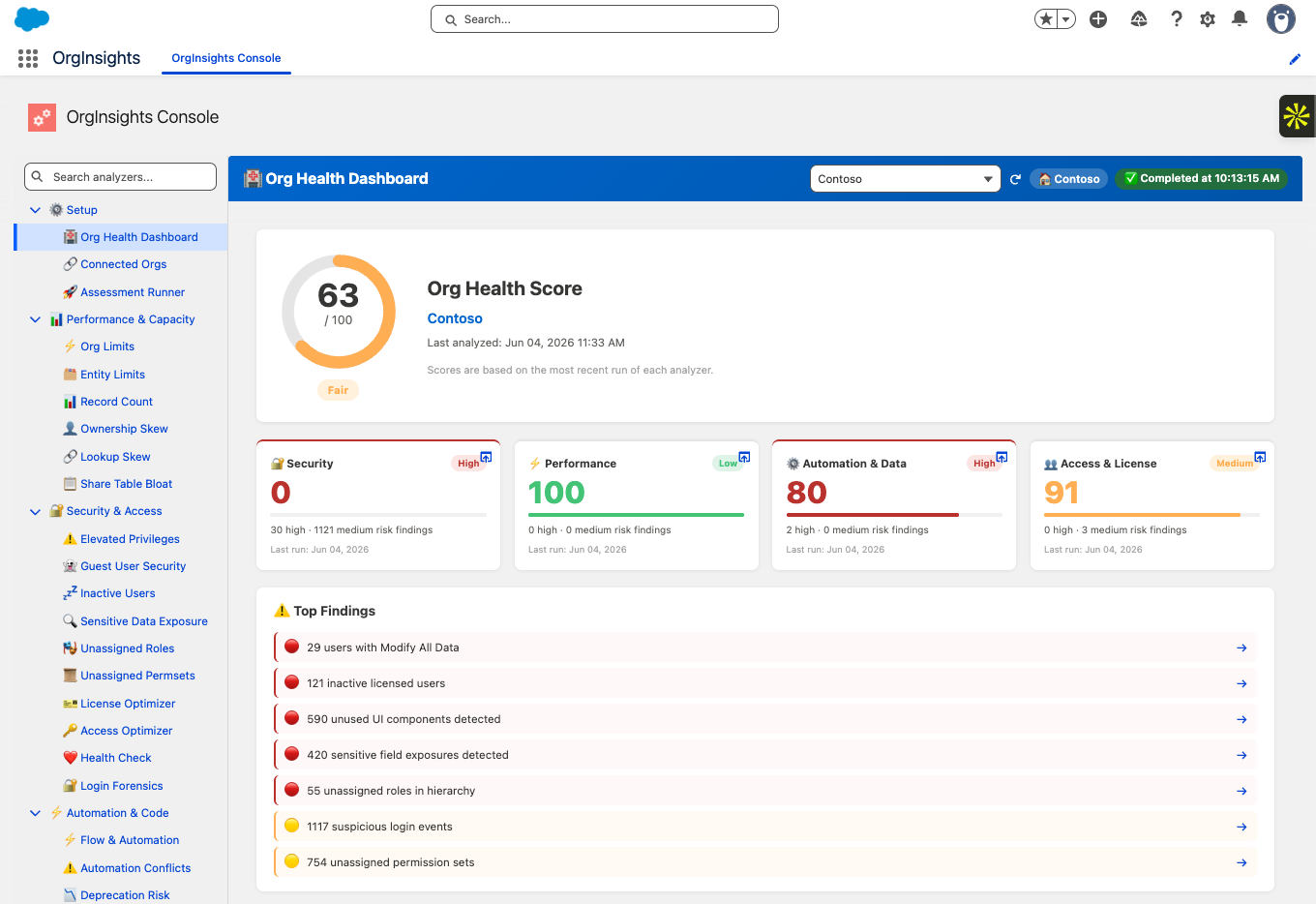
A single health score — 63/100 in this example — broken down across Security, Performance, Automation & Data, and Access & License. Top findings surface immediately so leadership sees the priorities without digging.
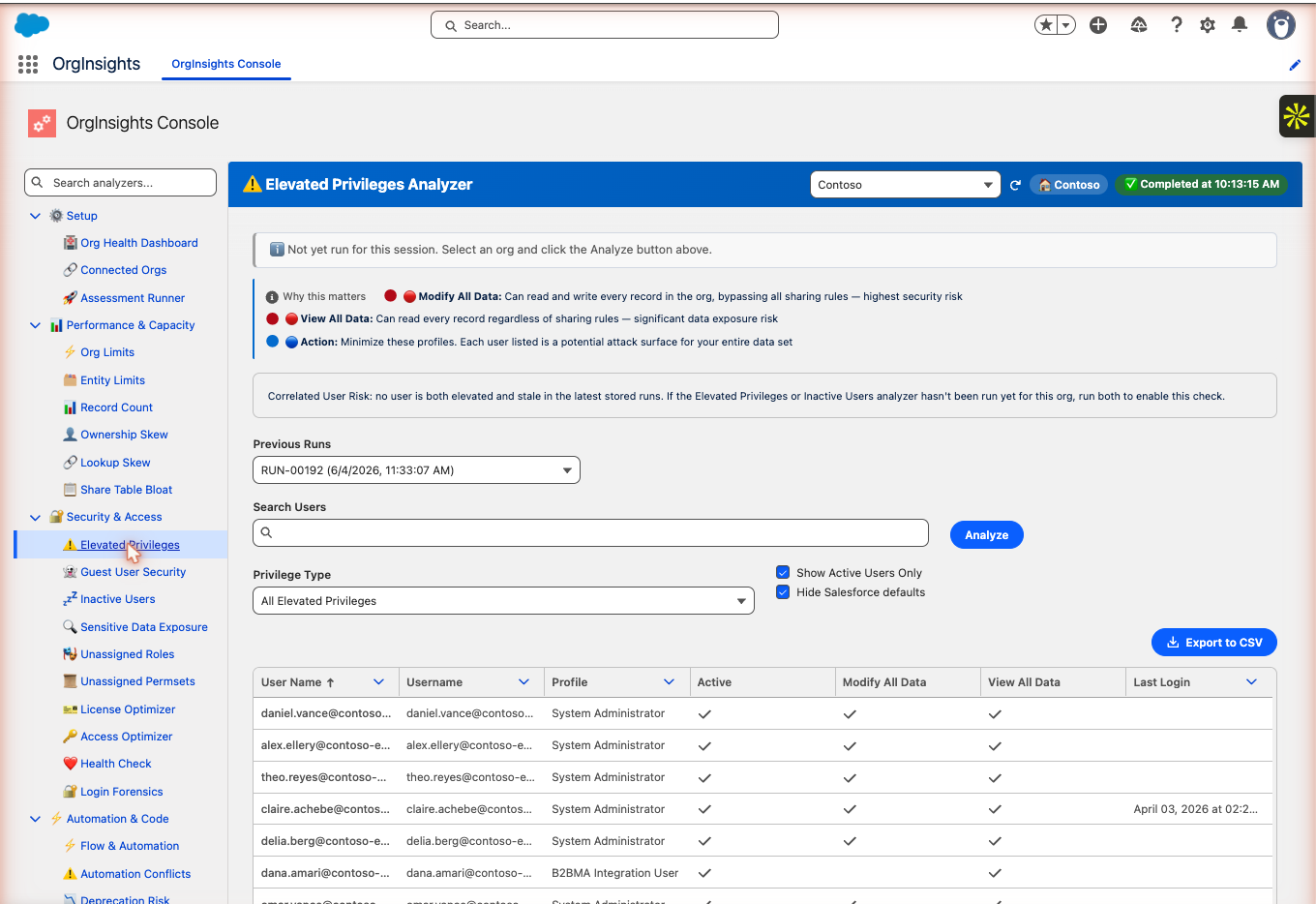
29 users with Modify All Data or View All Data — the two highest-risk permissions in any Salesforce org. Filterable by privilege type. Cross-referenced with the Inactive Users analyzer to flag elevated users who are also stale — the highest-risk combination in any security review.
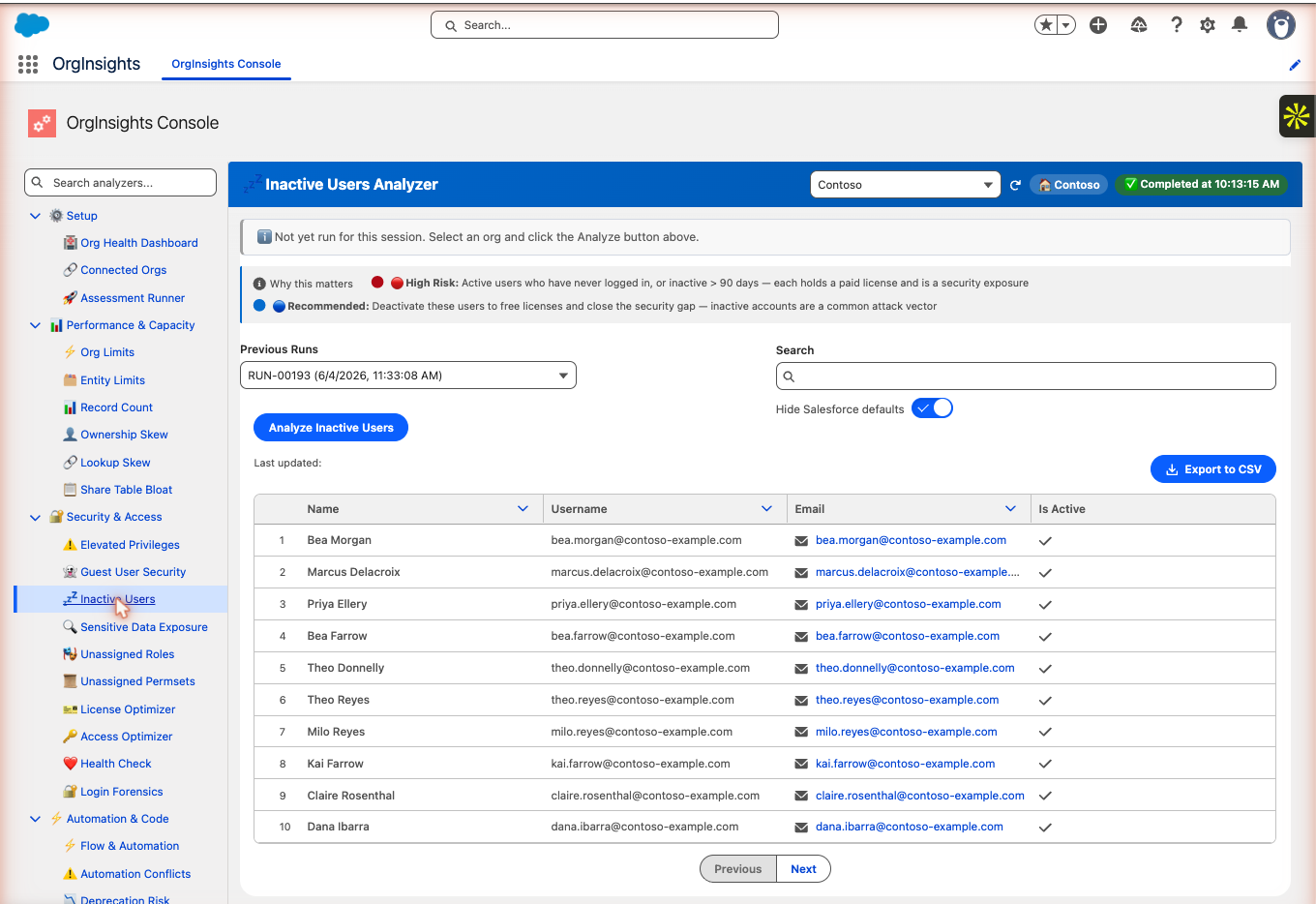
Active licensed users who have never logged in or haven't logged in for more than 90 days. Each represents a paid license and an open credential — a common attack vector. Your team gets a full list to review and a clear action: deactivate to close the gap and reclaim the seat.
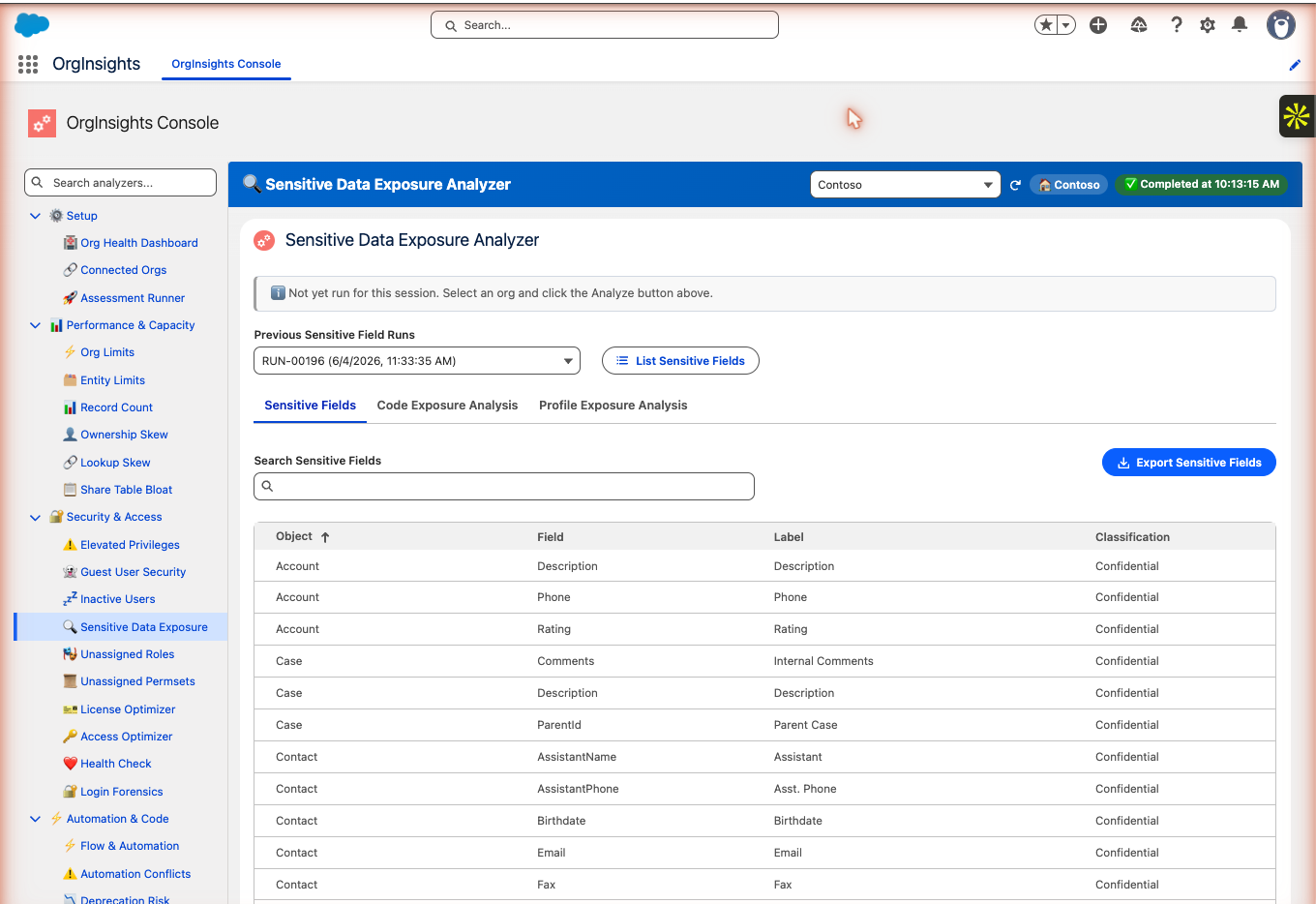
Confidential fields across Account, Case, and Contact — phone numbers, descriptions, birthdates, emails — mapped by object with classification labels. Includes Code Exposure Analysis and Profile Exposure Analysis tabs to show where that data surfaces in Apex and who can see it.
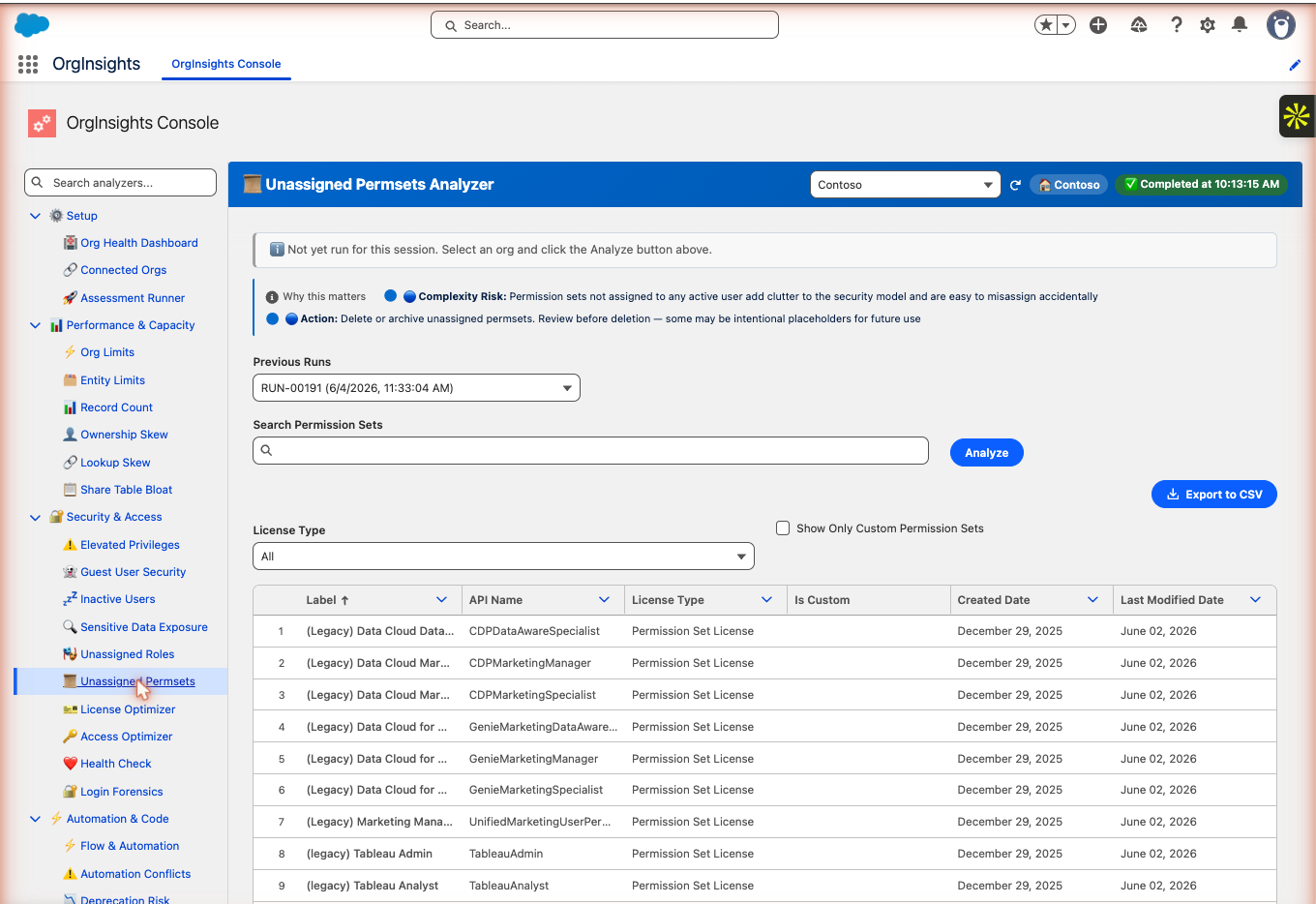
754 permission sets not assigned to any active user — many are legacy Data Cloud and Tableau sets left over from past implementations. Each one adds clutter to your security model and creates risk of accidental misassignment. Filterable by license type.
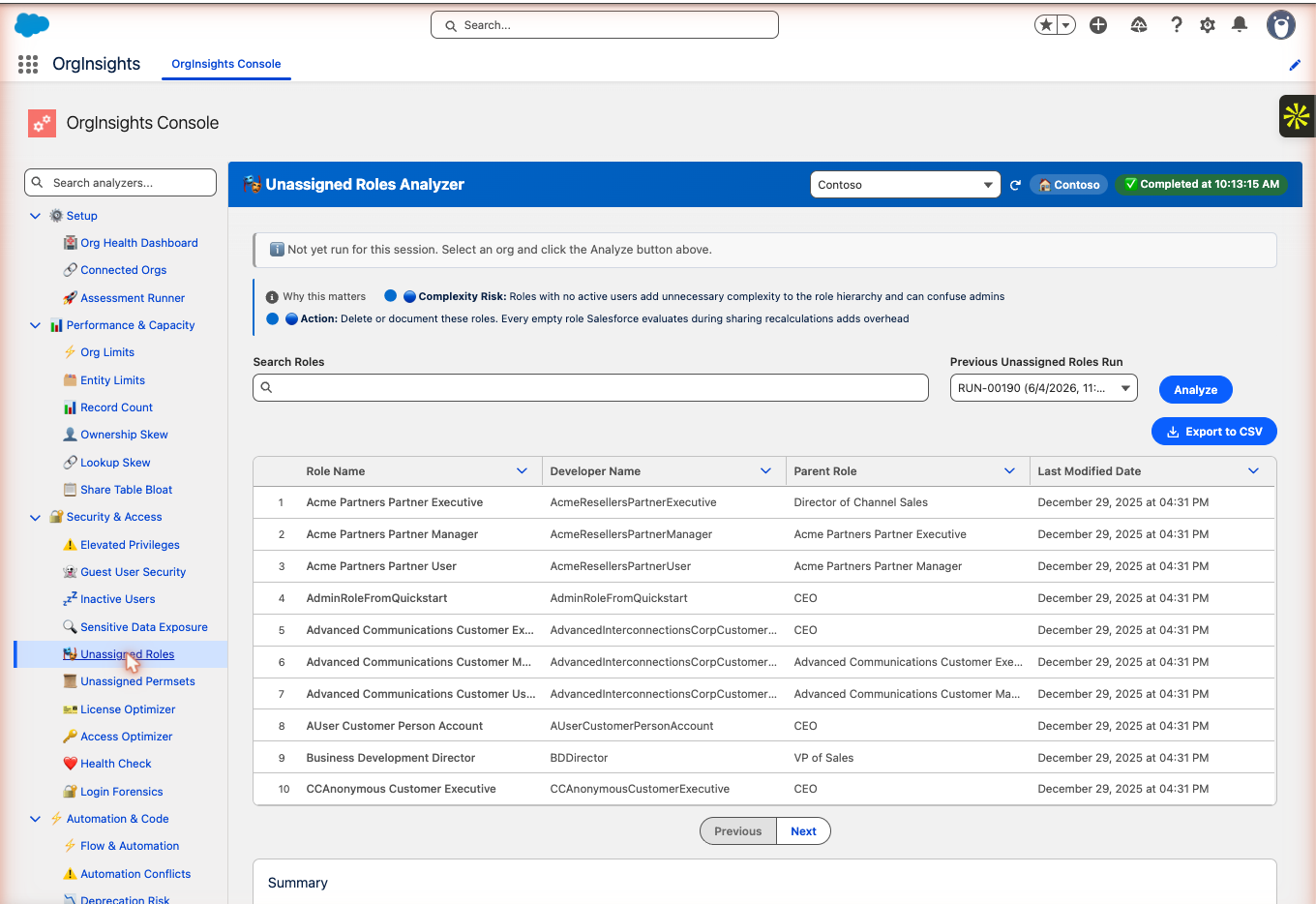
55 empty roles in the hierarchy — each one Salesforce evaluates during sharing recalculations, adding overhead without serving any user. This analyzer lists every empty role with its parent and last-modified date so your admin knows exactly what to remove.
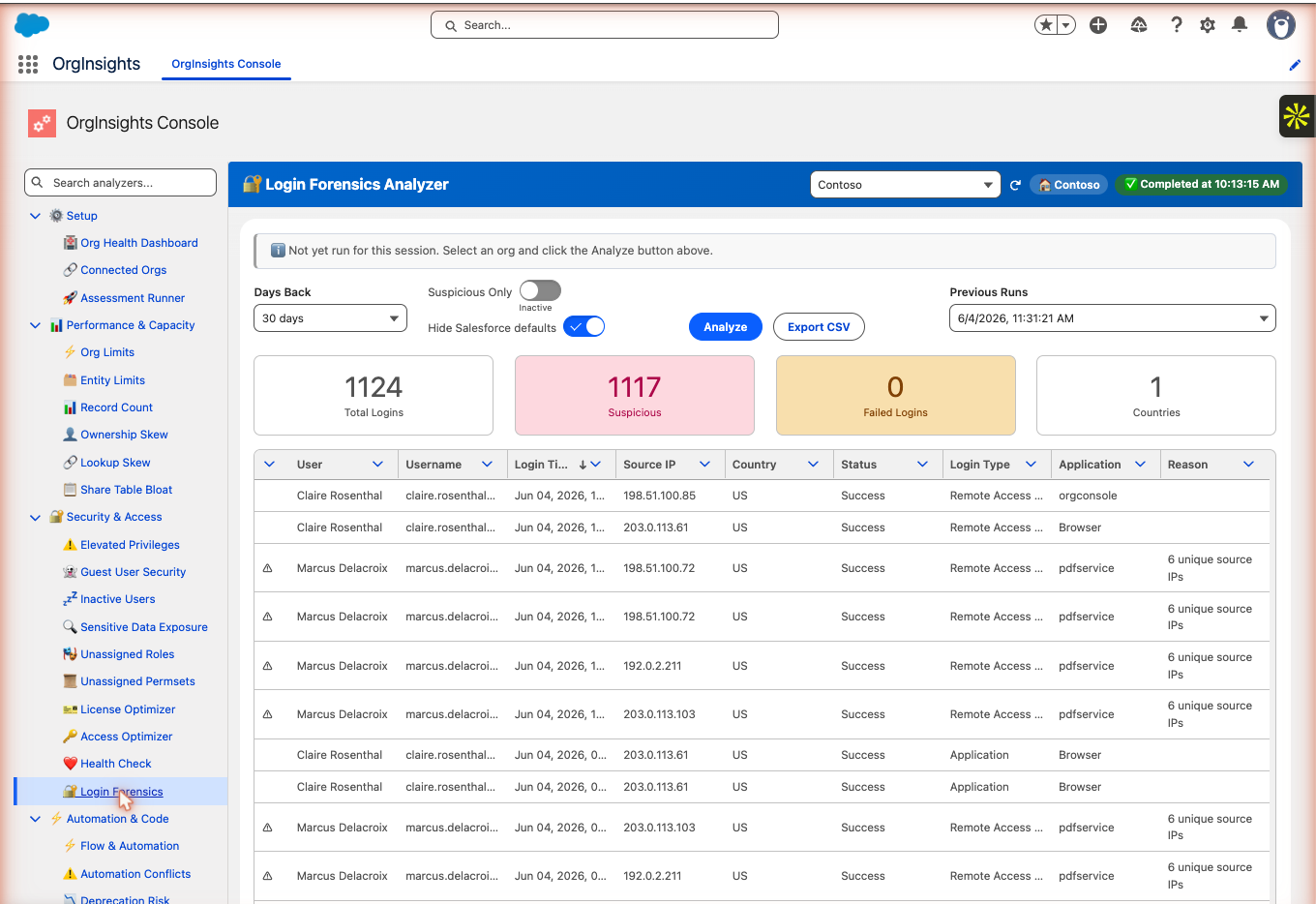
1,124 total logins over 30 days — 1,117 flagged as suspicious. Each row shows the user, IP address, login type, application, and the reason it was flagged. Suspicious patterns (multiple unique source IPs, unusual access via API) are called out per user.
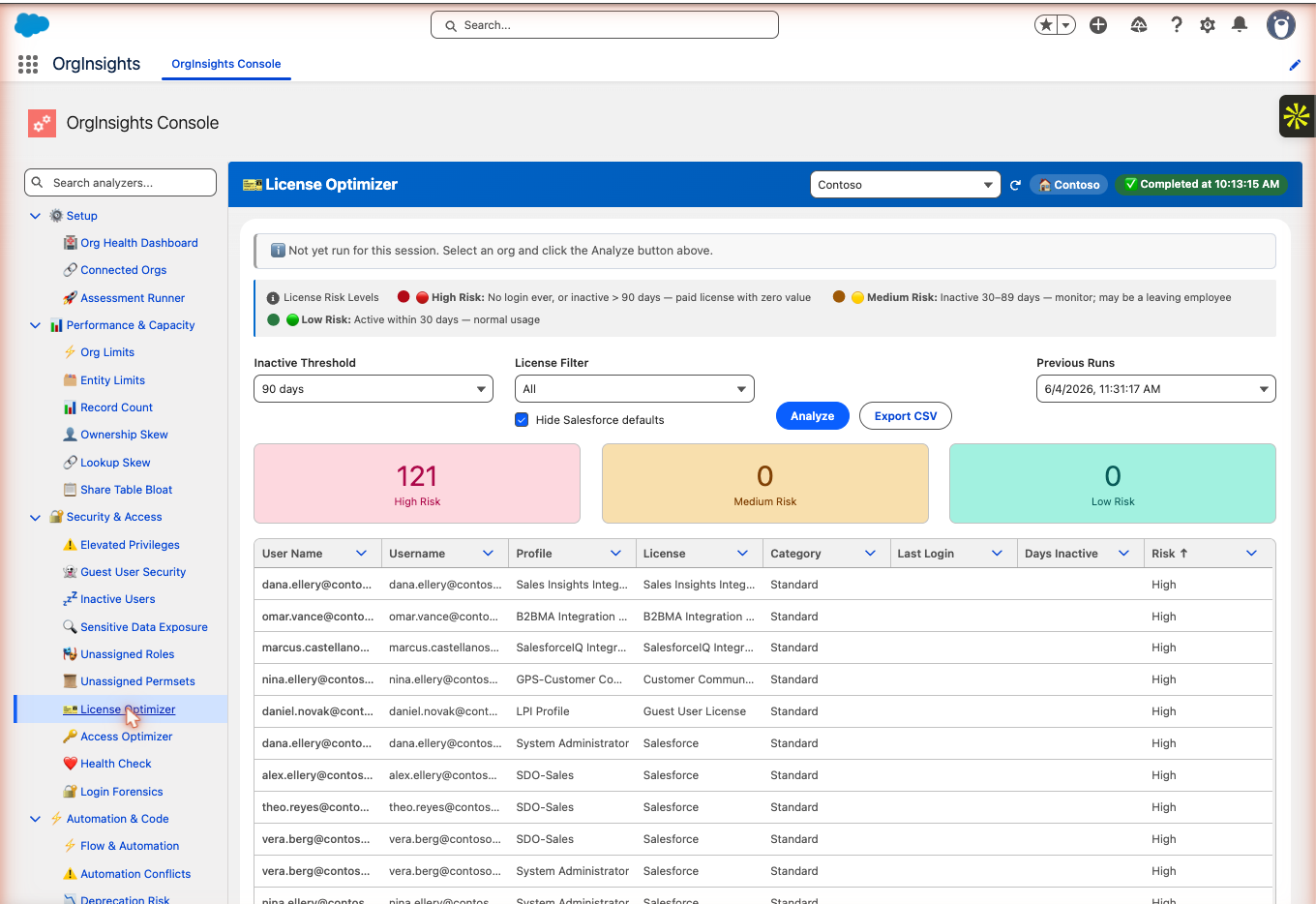
121 high-risk users with paid licenses and no login — ever, or inactive more than 90 days. Each row shows the username, profile, license type, and days inactive so your team can confirm which accounts to deactivate and recover the spend.
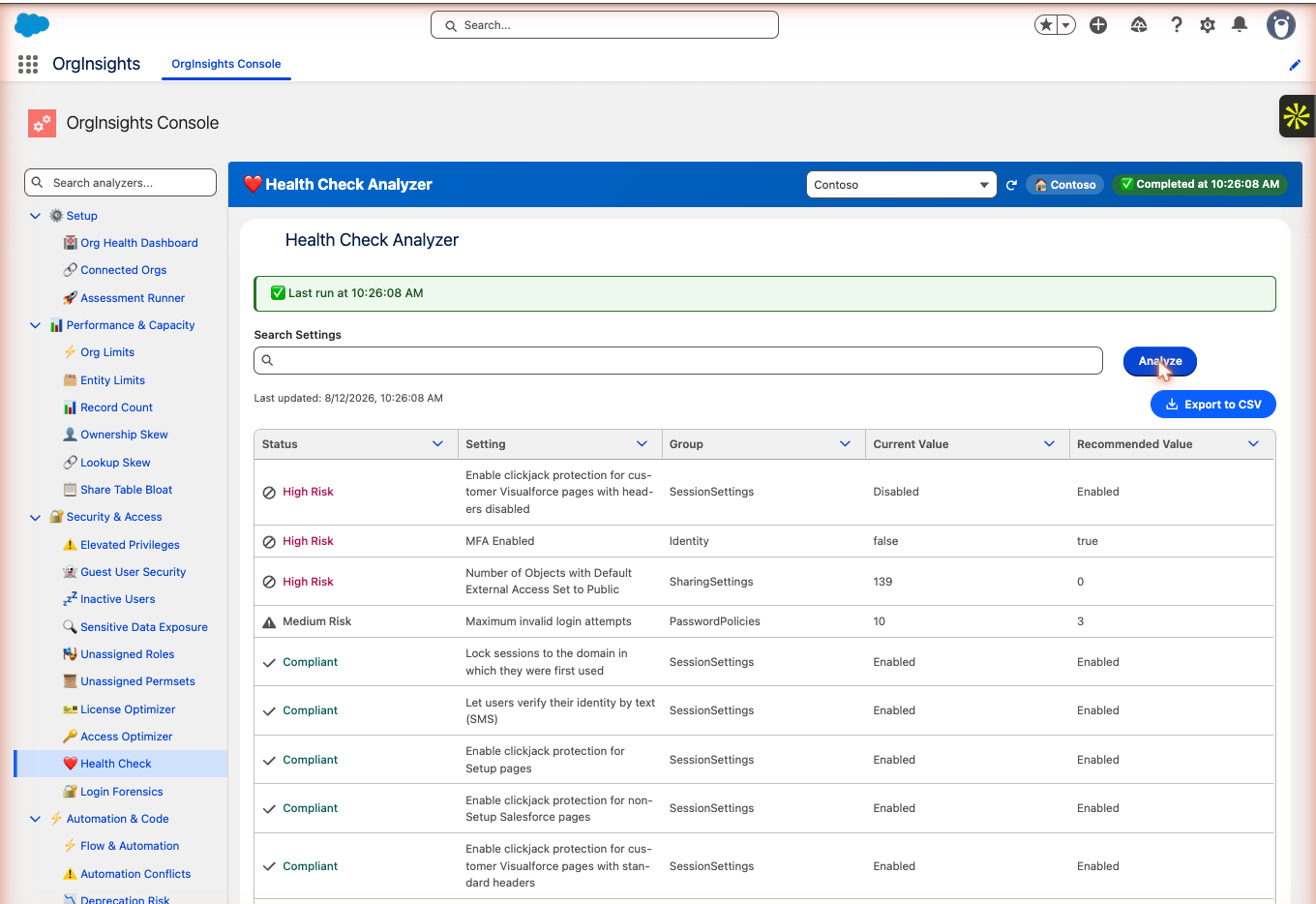
Salesforce's native health check surfaced inside OrgInsights with plain-language priority. Three High Risk settings in this org: clickjack protection disabled for Visualforce pages, MFA not enforced, and 139 objects with default external access set to Public.
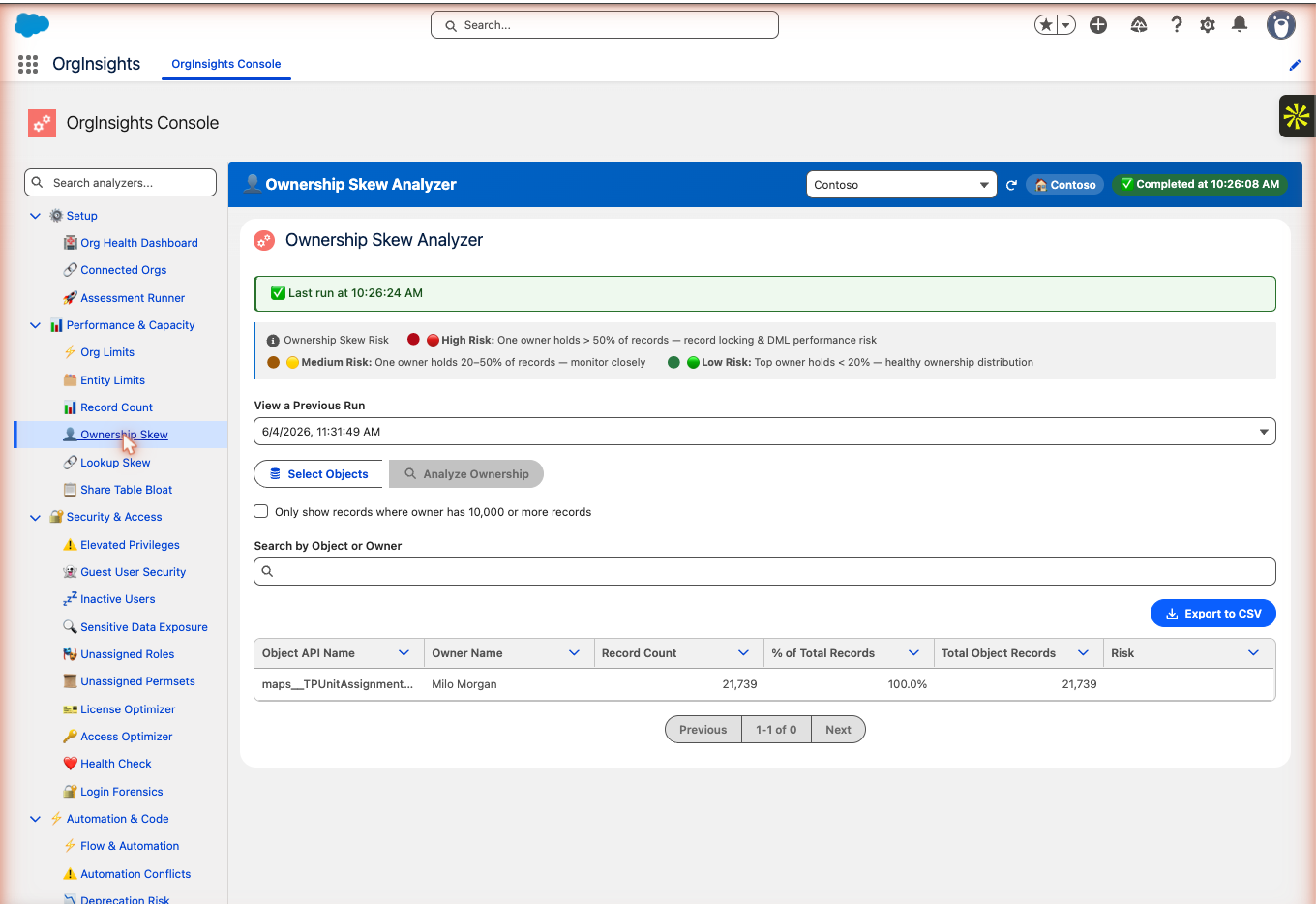
One owner holds 100% of 21,739 records on maps__TPUnitAssignment__c — a high-risk ownership skew that creates record locking and DML performance problems at scale. This analyzer flags objects where a single owner dominates so your team can redistribute before it affects users.
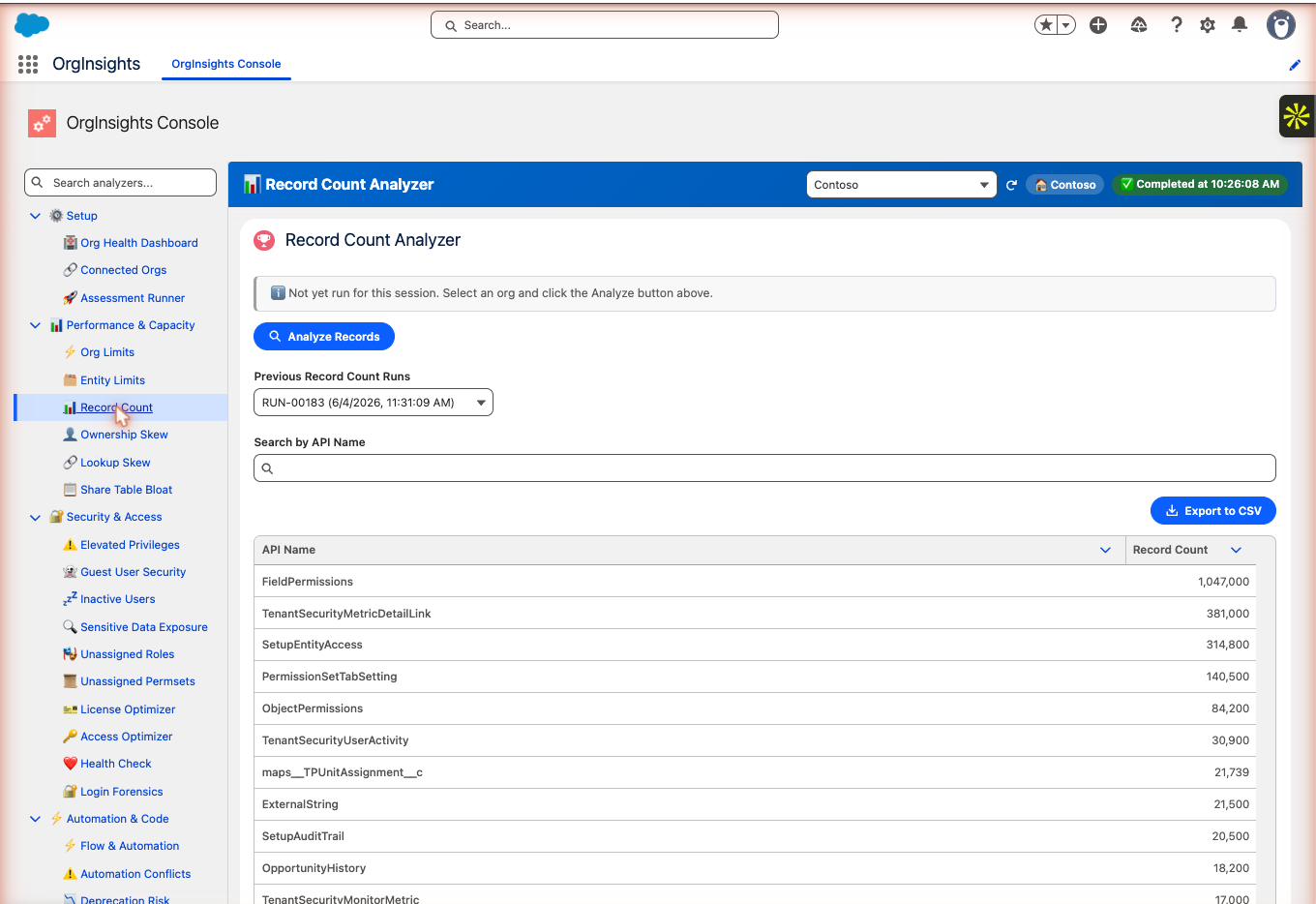
Record counts across every object — FieldPermissions at 1,047,000, SetupEntityAccess at 314,800 — ranked so your team can spot storage concentration, plan data archiving, and anticipate which objects will hit limits first as usage grows.
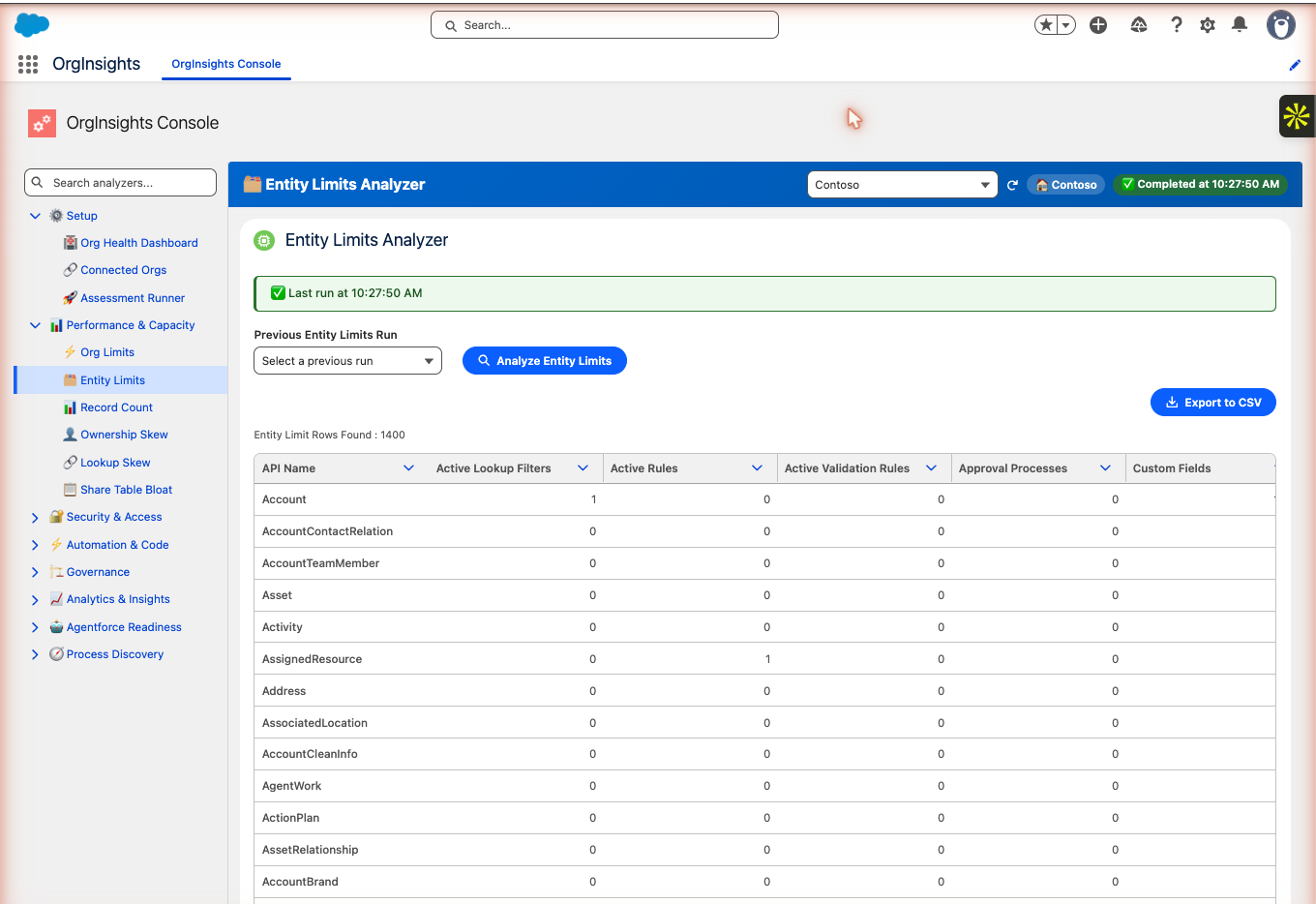
1,400 entity limit rows analyzed — lookup filters, active rules, validation rules, approval processes, and custom fields per object in one view. Lets your team spot which objects are approaching Salesforce's per-object limits before they cause deployment failures.
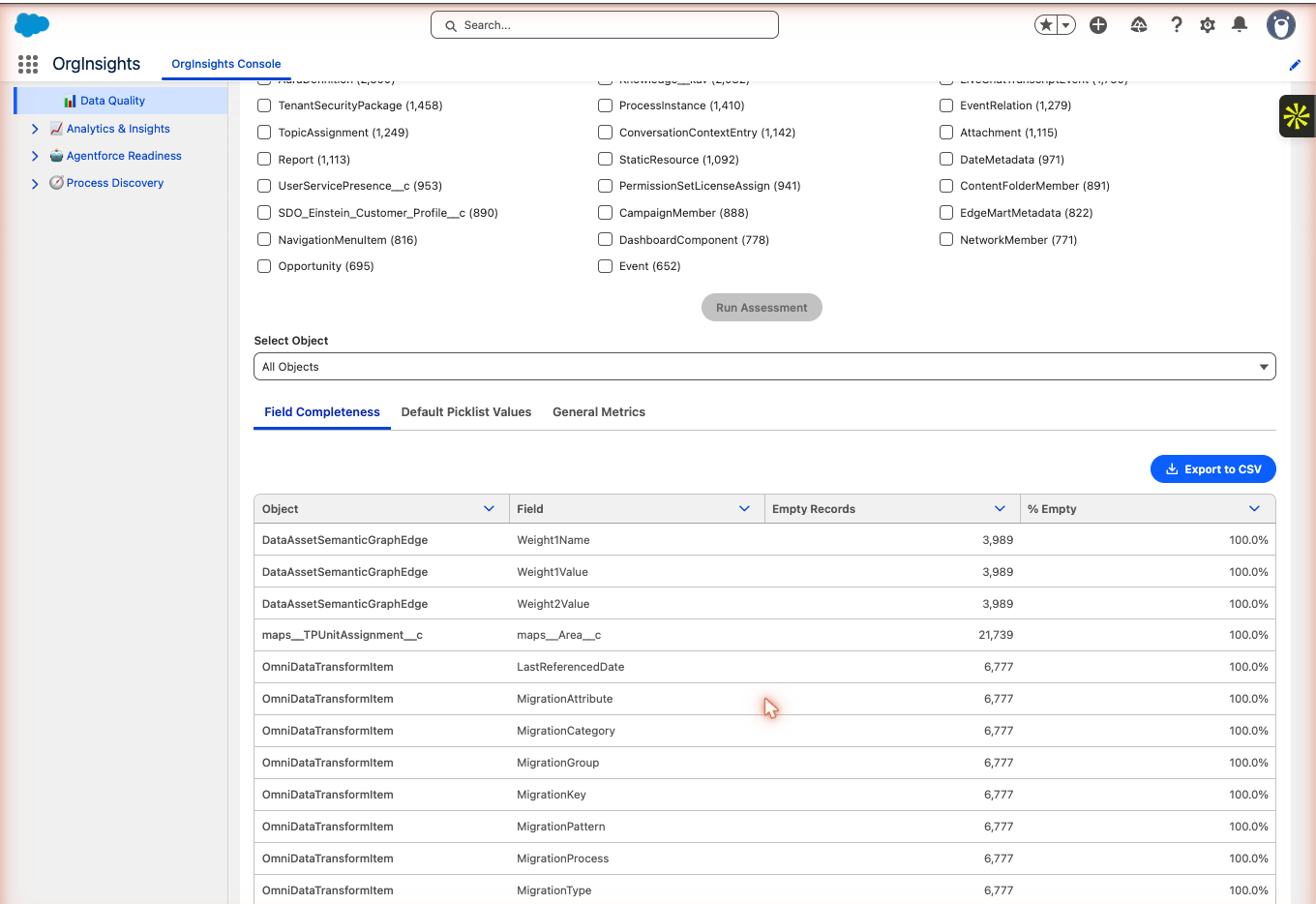
Field completeness, default picklist value gaps, and general data metrics — all filterable by object. Fields with 100% empty records across thousands of rows show up immediately so your team can decide what to clean, archive, or remove.
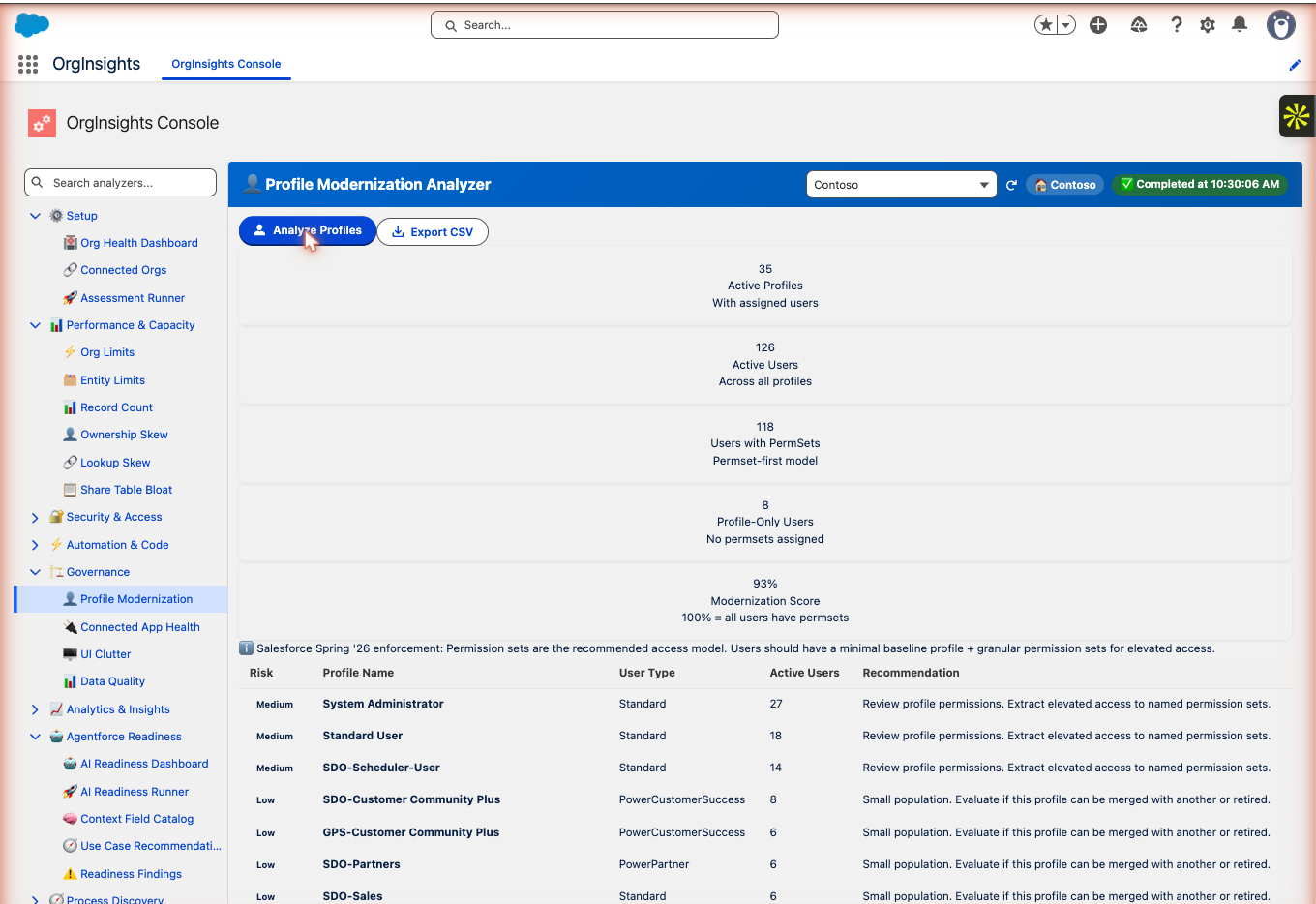
35 active profiles, 126 users, 93% modernization score — but 8 users are profile-only with no permission sets assigned. Salesforce Spring '26 enforcement makes this a compliance priority: this analyzer tells you exactly which profiles and users to address first.
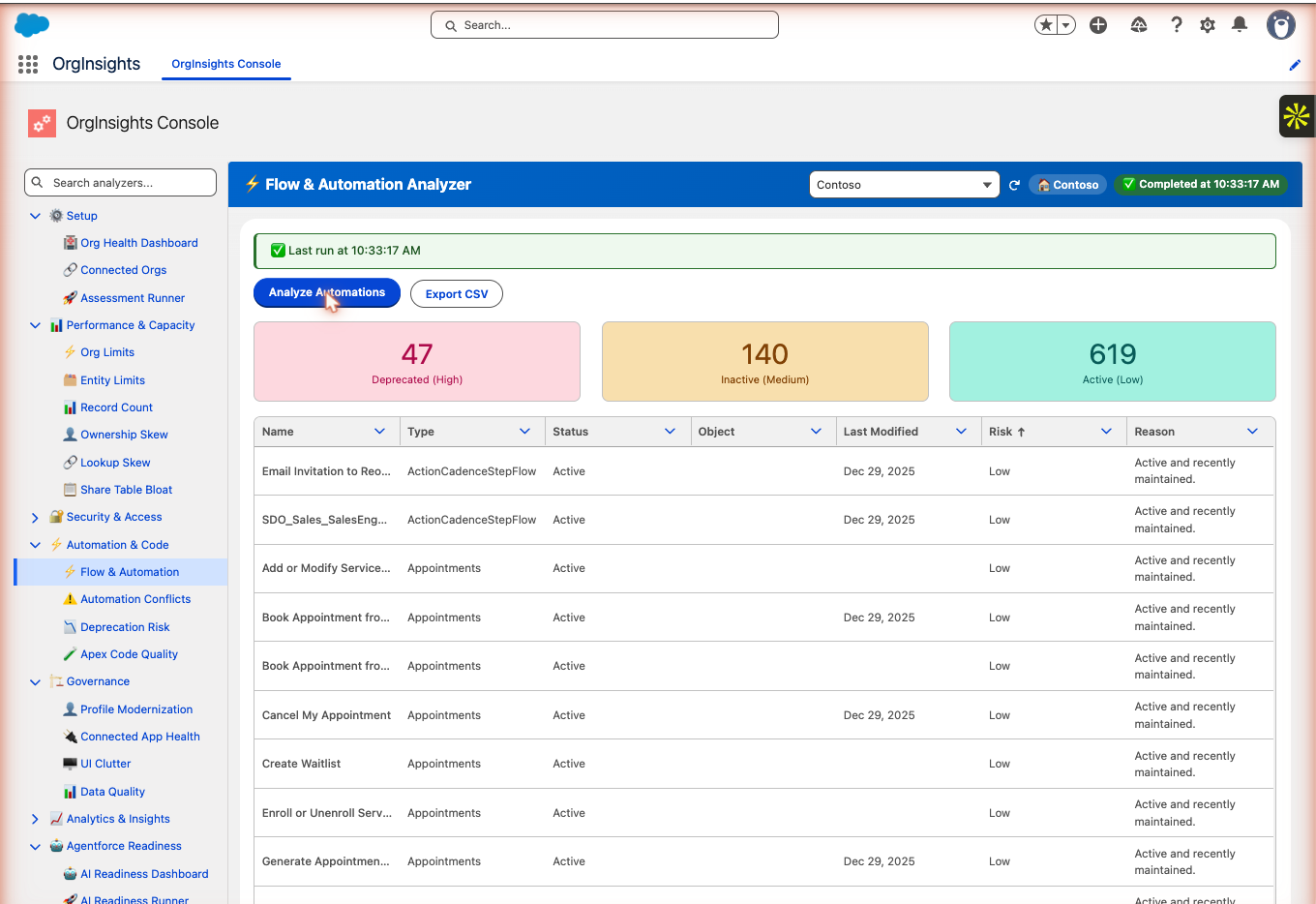
806 automations analyzed: 47 deprecated (high risk), 140 inactive (medium risk), 619 active. Every automation is classified by type, status, last-modified date, and the reason it was flagged — so your team knows exactly what to retire or rebuild.
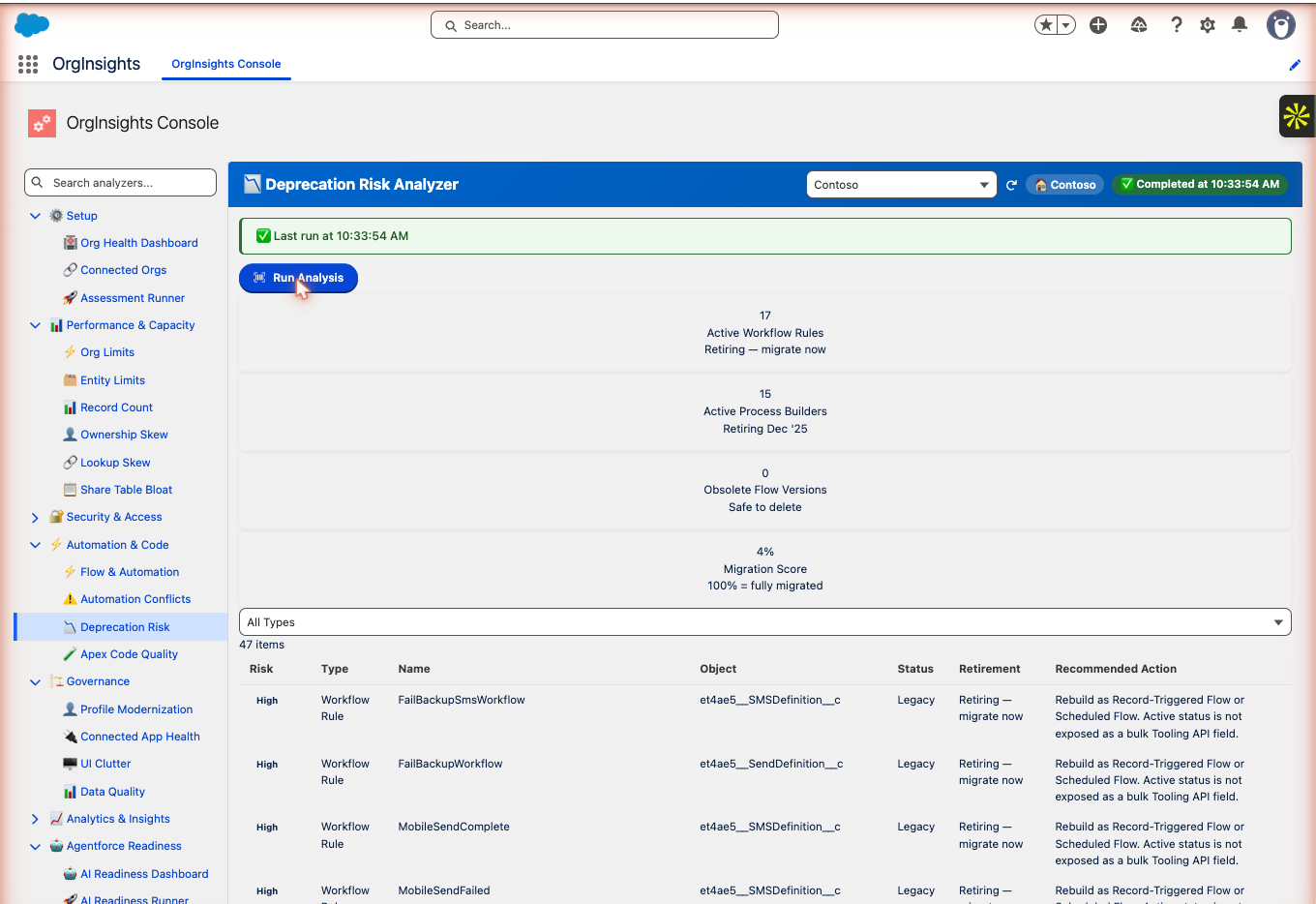
17 active Workflow Rules and 15 Process Builders flagged for migration — Salesforce is retiring both. A 4% migration score means most automation hasn't been moved to Flow yet. High-risk items are named and sequenced for your team to act on.
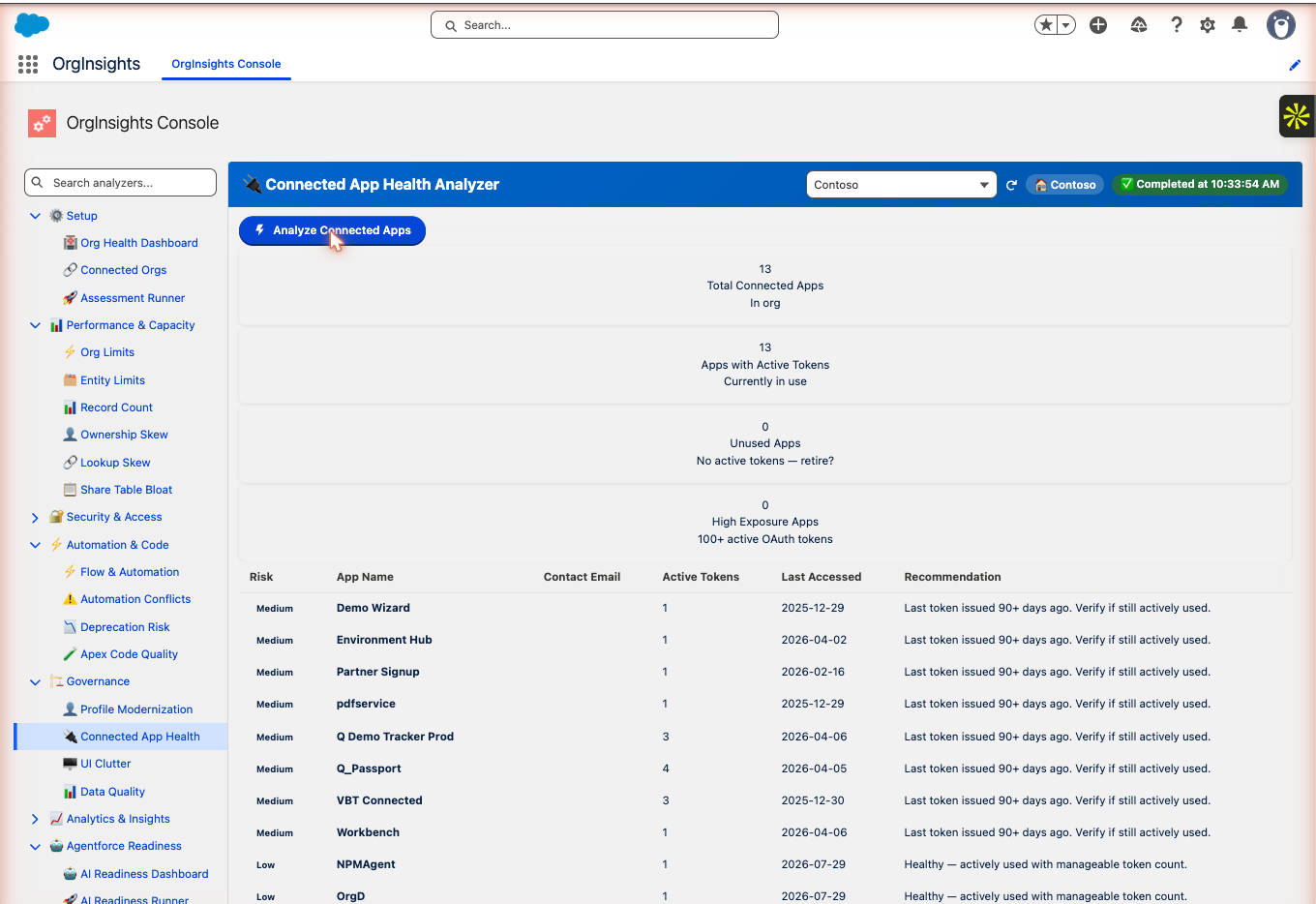
13 connected apps in this org — all with active tokens, 8 flagged as medium risk because the last token was issued 90+ days ago. Every stale app is a potential attack surface that should be verified or retired.
A complete org health-check — delivered in hours
Watch Org Insights scan a live Salesforce org and surface prioritized findings across security, automation, access, and data quality.
Full walkthrough · connect, scan, and review the executive health report
Two weeks. Designed around your team's schedule.
We run the assessment, interpret the findings, and deliver a leadership-ready plan — your team stays focused on reviewing results and planning next steps.
We assess your org
We establish secure access, run a comprehensive scan across security, governance, performance, data quality, and more, and review every finding for your specific context.
We build your readout
We translate findings into executive language — what matters most, what to prioritize, how it connects to your roadmap, and how to communicate it to leadership.
A plan you can act on
Security decisions, scaling priorities, governance gaps, and a sequenced remediation roadmap — ready to present to leadership and assign to your team the same day.
Pricing: Contact us for pricing
Schedule an Assessment →