Built for the security questions your team will ask
Every design decision in EasyMask starts with the same question: would a CISO approve this in an AppExchange security review?
Customer data stays inside Salesforce, with the masking workflow running directly in your org — no external service required.
Production access is blocked automatically — built into the product itself, not left to configuration.
See exactly what will change before a single real record is touched — dry-run and pre-flight checks built in.
Every run documented, every change logged — audit evidence your compliance team can review immediately.
Realistic data. Built-in protection.
Your QA team gets realistic data that behaves like production. Your compliance team gets a controlled non-production environment with a clear audit trail — all inside Salesforce.
- Replaces names, emails, phones, addresses — realistic format, safe content
- Fake values stay internally consistent so test flows that depend on relationships still work
- Cover multiple objects in one job, processed in the right dependency order
- Pause automations during masking to prevent validation errors from blocking the run
- Complete audit log of every run, every field, every change
- Full sandbox reset option when you need a completely clean slate
Redact
Wipe to placeholder / null — fastest, for fields where even fake content is risky.
Mask
Realistic fakes — names that look like names, emails that look deliverable, addresses that geocode.
Format-preserving mask
Keeps shape — phone punctuation, email structure, SSN pattern — while replacing all real content.
Advanced (per-field)
Custom strategy per field — full control for complex orgs with specialized data patterns.
Ready for your team in an afternoon
No infrastructure to stand up, no complex setup — EasyMask installs directly into Salesforce and is ready to configure immediately.
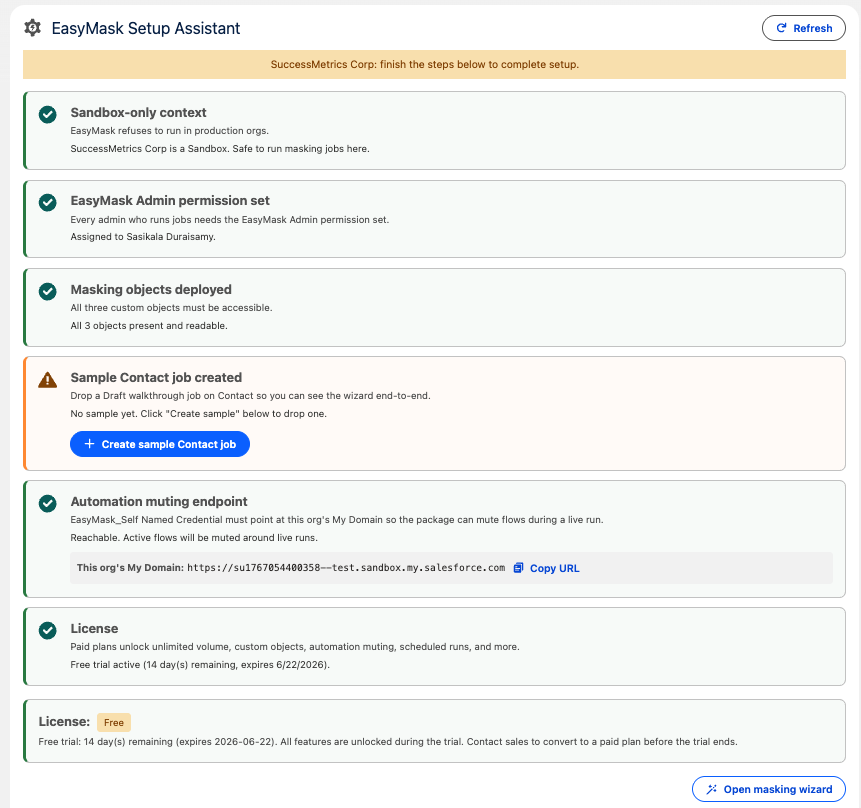
Install and verify in minutes
The Setup Assistant walks through every prerequisite — sandbox context, permission sets, custom objects, automation muting endpoint, and license — with clear pass/warn states for each item.
- Sandbox-only context enforced automatically
- EasyMask Admin permission set guided setup
- Automation muting endpoint configured once
- Free trial active with all features unlocked
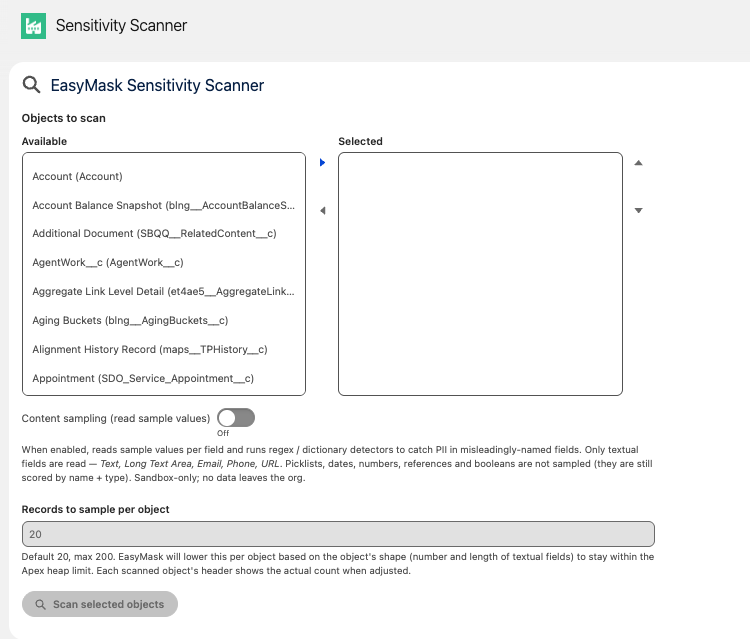
Automatically surface sensitive fields
The Sensitivity Scanner discovers PII across your org objects — so nothing gets missed. Content sampling reads actual values to catch misleadingly-named fields using regex and dictionary detectors.
- Scan any object across your full org
- Content sampling catches PII in misnamed fields
- 20 records per object by default — Apex heap-aware
- No data leaves the org during the scan
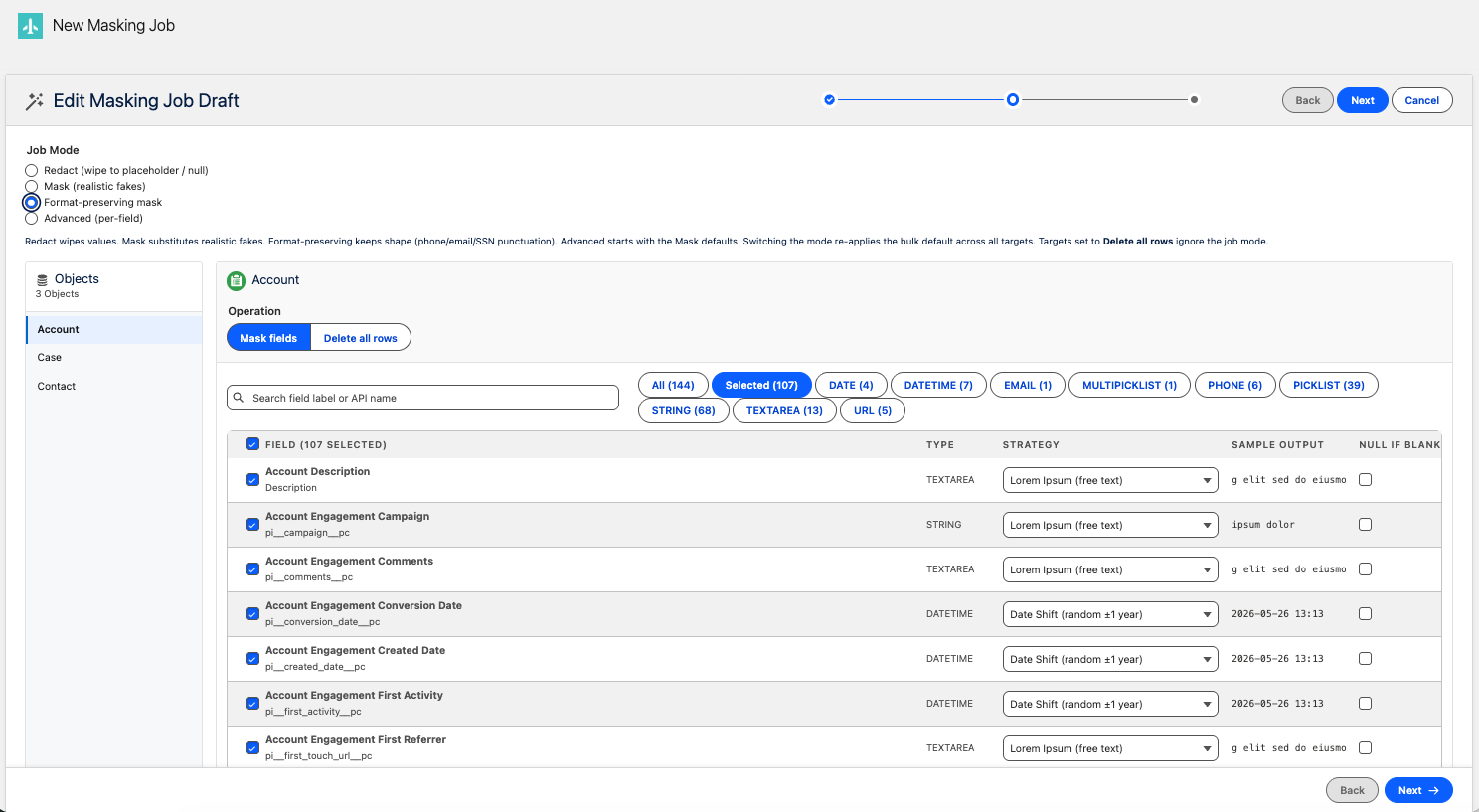
Choose how each field is protected
The field-level masking wizard shows every field across your selected objects, lets you filter by type, set strategy per field, and see a live sample output — before a single record is changed.
- Filter by Email, Phone, String, Textarea, URL, and more
- Per-field masking strategy with live sample output preview
- Null-if-blank option per field
- Process multiple objects in one job, in dependency order
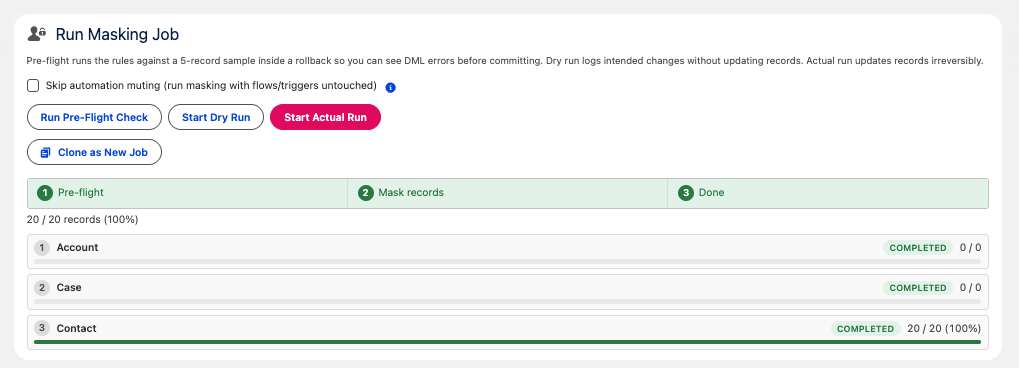
Pre-flight, dry run, then execute
Three execution modes let you build confidence before committing. Pre-flight runs against a 5-record sample in a rollback. Dry run logs intended changes without updating records. Actual run processes all records with full audit logging.
- Pre-flight catches DML errors before any record is changed
- Dry run shows exactly what will change
- Live progress per object — Account, Case, Contact
- Completed percentage and record count per object
Where teams use EasyMask
Any Salesforce non-production environment where realistic data supports better testing, demos, training, and release readiness.
QA & UAT Environments
Sandbox refresh hardening — mask before handing off to QA so testers work with realistic but safe data.
Developer Sandboxes
Developers get realistic record shapes and field structures while customer PII remains protected.
Demo & Training
Demo orgs with convincing, structured data — ready for presentations and training while customer records stay protected.
Compliance Readiness
Support controlled non-production data practices for teams working with HIPAA, GLBA, and CCPA requirements.
Key security questions, answered
EasyMask is designed for straightforward security review, with clear controls around data location, production access, and auditability.
- Does data leave our environment? EasyMask runs entirely inside your Salesforce org. No external service required — data stays where it belongs.
- Can this touch production? EasyMask is designed for non-production Salesforce environments, with production access blocked by the product itself.
- What's the audit trail? Every masking run is logged, and every field changed is recorded — your compliance team has a clear, ready-to-review history.
Salesforce admins, release managers, QA leads, and sandbox owners — anyone responsible for keeping non-production environments clean and compliant.
Installs directly in Salesforce as a managed package. No new infrastructure, no agents, no integration work required.
Contact us for pricing.
EasyMask is Customer Zero. We built EasyMask using our own AI-native delivery engine before offering that engine to clients — with a real AppExchange security review, deterministic behavior across org configurations, and test coverage with teeth. Every client engagement now runs on the same pipeline that shipped EasyMask. Read the engineering story →